

That is because I had to give 5 different spelling tests… with about 24 words each. And no matter what I tried, there was just no way that I could cut down the time.
Then Carmen told me that she no longer has to sit with students and give them a spelling test… they do the test on their own…. on two iPads.
Um… What? How? I need this!!
So I contacted Spelling City and our Fridays have been AMAZING ever since!!
I don’t even know where to start with the benefits of their Premium Membership. Let me just tell you a few of my favorite parts.
1. I have my 5 spelling groups set up with their own lists. You can see how I name my spelling groups based on their stage in Words Their Way. I have just been entering their spelling lists as we go!

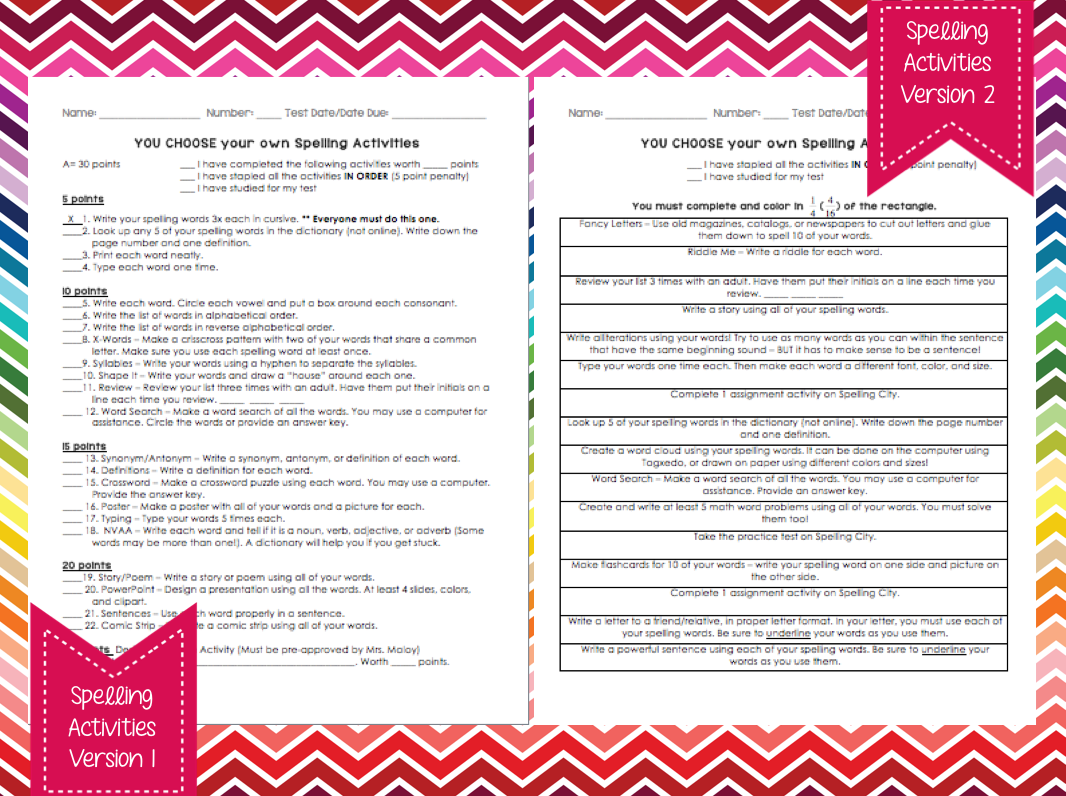
2. My spelling homework consists of a variety of activities which my students get to choose from. They love this and I love seeing the amazingly creative activities that they come up with! They are constantly blowing me away!!
The Spelling Activities are not my own creation, but something that I got from other teachers. The first spelling activities list is from something Brent Vasicek posted on his blog a few years back (I can’t find the link anymore!) and the second list I came up with by looking at spelling activities that other teachers use and combining those ideas with some of my own. We used the first list (version 1) before I started using the premium version of Spelling City, so it doesn’t have options for playing the games online, but I will definitely be adding them to that list for next year! Version 2 is the spelling activities list that my students are currently using. There are 2 options for completing a spelling city activity online and 1 option for taking a practice test on spelling city.
There is a feature on spelling city that actually allows me to create assignments for my students, which they can complete at home! AND I can see which assignments (games/practice tests, etc.) they completed as well as the amount of time they spent on each activity! So neat!!!
I’ve been creating a list of 10 “assignments” for students every week. They can choose games from this list of assignments to count towards their spelling activities if they would like. Some of the games take longer than others, but usually they play several at a time because they love them so much! Also, if they take their practice test online I can see the score and words that they missed, so I can focus on helping them with these in class.

3. My absolute favorite part of Spelling City… test day!!
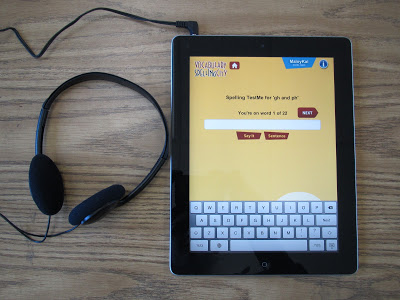
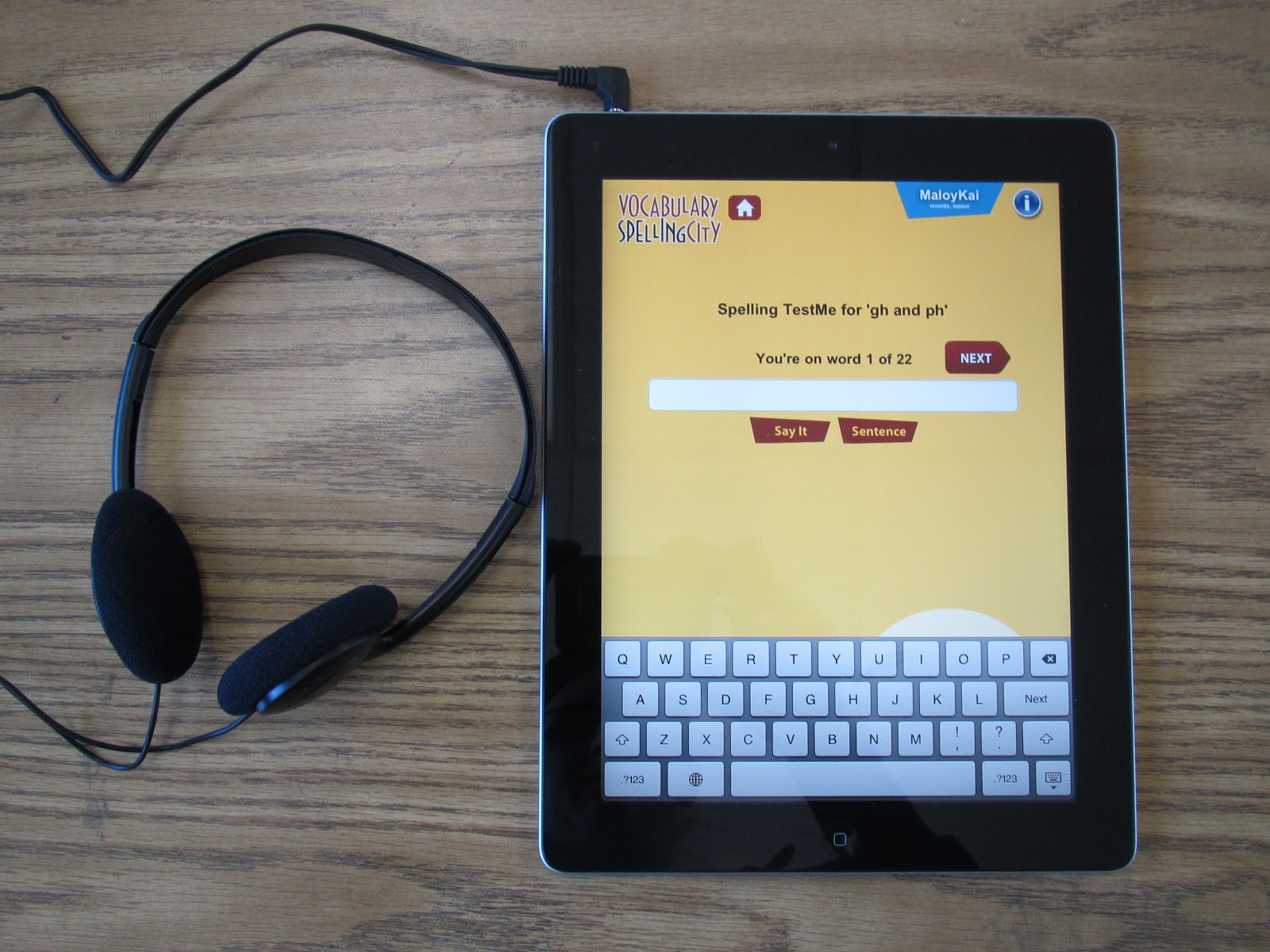
I am so lucky to have access to two iPads in my classroom. I downloaded the {FREE} Spelling City app on each of them and showed my students how to login and take their test. What is so neat about this (besides that it frees me up to work with students on other things instead of administering the tests) is that students can have the word repeated and said in a sentence as many (or as few) times as they would like. Some of my students just need to have the word said once, whereas other students need to hear it in a sentence, or want to hear it another time. It is all up to them!
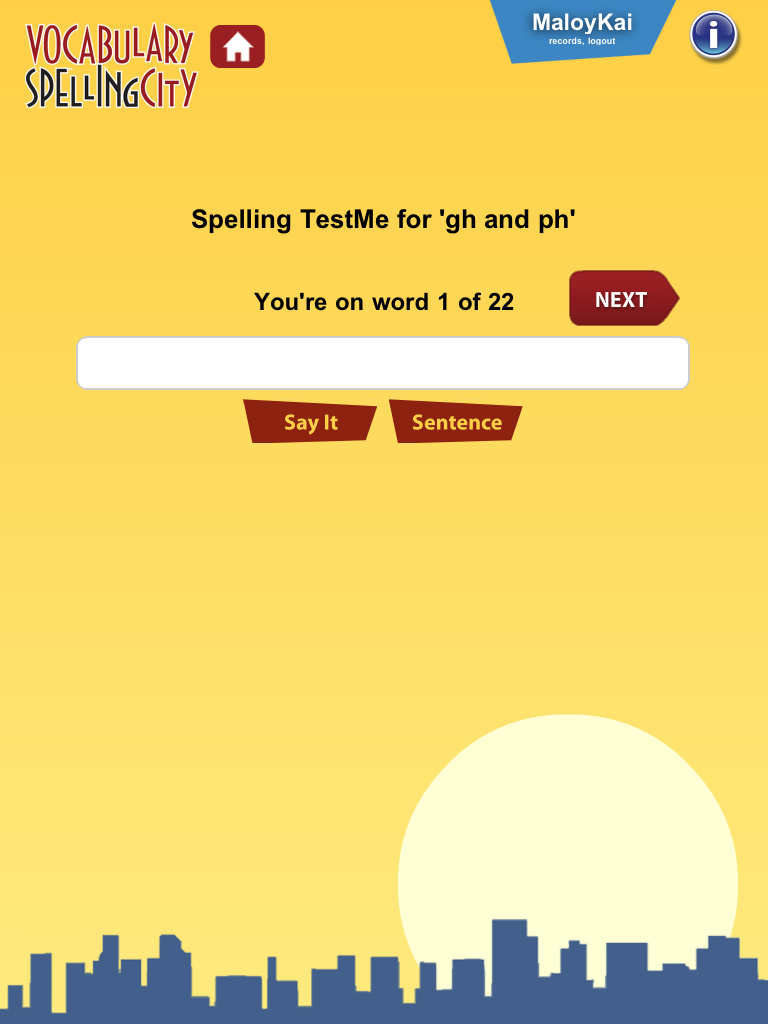
When my students are ready to take their test (after they finish gluing the words they have been studying for the week in their notebooks), they write their name on the board. Then as students finish taking their tests they just look up at the board, see who is next on the list, and carefully (with 2 hands!) carry the iPad to the next student. It has worked like a charm in my class and my students LOVE taking their tests on the iPads! Oh, and I forgot to mention, they can see their score instantaneously! It shows up on the screen as soon as they are done with the test, and their parents can log in at home to see all their tests scores.
It has been like a dream come true!
I am hoping to share more on how I use Words Their Way in my classroom in the near future, but I just wanted to share about the premium version of Spelling City so you could check it out and start using it in your classroom!

I have always used the free version of spelling city and loved it! I didn't know all the possibilities of the premium version. I'll definitely have to check it out. Do you know if the fee to upgrade is only once or do you have to pay each year?
When I was doing WTW, the Spelling City premium membership was a LIFESAVER! You can still do the testing with the free membership, but the premium membership has lots of other perks, like you mentioned 🙂
Diane
Fifth in the Middle
This was such a great post Molly, I love how you explained everything and gave a wonderful overview of the premium version! I love how easy Friday testing is now! I like the idea of taking the test on the iPad. I only have one, but I might be able to make it work anyhow.
This is wonderful. I look forward to hearing more ways of how you use WTW! I have been using it this year but need to re-vamp it for next year for sure! Spelling City sounds like a wonderful addition.
Brittany
Stickers and Stamps
I LOVE the spelling activities!!! Do you have it in your store? It is exactly what I am looking for (version2). My kids will go crazy for the point system 🙂
Alyssha
Teaching and Tapas: 2nd Grade in Spain
Thank you for posting this! I also shared how I run Words Their Way in my classroom a few months ago. I love seeing how other teachers organize it!
-Marie
Beach Lovin' Teach
I, also, am a fan of Spelling City and Words Their Way and I enjoyed reading your tips! Here's a FREEBIE for you that might help with spelling! It's a game based off of left, right, center. http://www.teacherspayteachers.com/Product/Spelling-Game-Left-Right-Center
For tech tips in the classroom please visit my blog! http://www.yoursmarticles.blogspot.com.
Just shared this on my Five on the Fifth post. I love this idea!!! I think you may have solved my spelling problems.
Megan
I Teach. What's Your Super Power?
hi Molly, This is a great write-up about SpellingCity. I just tweeted it.
BTW, my Twitter is @spellingCityMay
Hi everyone, I just reread the full article. It's great but it could leave the impression that you need an iPad. While there is an iPad/iPhone app (and an Android & Kindle), SpellingCity is primarily still a website and the Premium Membership works great on computers too!
What a great post Molly! Not sure how I missed it when you first wrote it! I love how you explained EVERYTHING! Awesome! I hope Spelling City is still working well for you! Love, love your spelling activities!
🙂 Carmen
http://www.exploringthirdgrade.blogspot.com
LOVE this post! I've been using the premium version of Spelling City this year, but I've heard such good things about Words Their Way that next year I wanted to make the switch to that. Now I know how to integrate the two!! Thanks!
I would love to hear more about how you use Words Their Way to make your spelling groups. I've tried in the past and it ended up becoming such a headache and I had so many different lists.
Love this! I am using WTW in the classroom for the first time this upcoming school year and will definitely keep the Spelling City Premium Membership in mind! Too bad I have 30 kids, the classroom set isn't quite enough!
Also, I LOVE your spelling activities. Would you be willing to share that? I couldn't find it on your TPT store 🙁
Thanks for the great ideas!